How to Build a Secure Multi-Tenant Platform on Kubernetes
Learn how to build a secure, scalable multi-tenant Kubernetes platform and see how Stakater MTO simplifies governance, isolation, and automation.
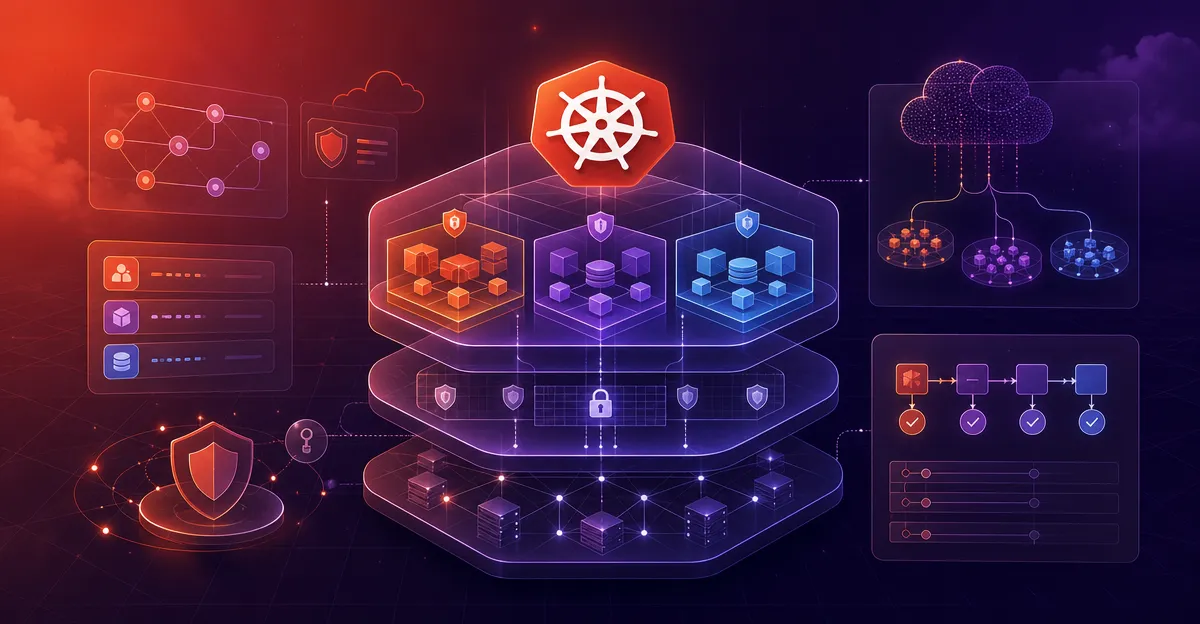
As Kubernetes adoption accelerates, more organizations are looking to consolidate infrastructure and improve scalability by building multi-tenant platforms. But running multiple teams or workloads on the same cluster can introduce serious risks if security and governance aren’t prioritized from day one.
In this blog, we’ll walk through the key principles and steps to build a secure multi-tenant platform on Kubernetes and explain how tools like the Stakater Multi-Tenant Operator (MTO) can help simplify the process.
What is a Multi-Tenant Platform on Kubernetes?
A multi-tenant Kubernetes platform lets multiple teams, business units, or customers run workloads in a shared Kubernetes cluster. Each “tenant” gets isolated access to the resources they need, while our platform team retains control over the cluster and its policies.
The benefits include:
-
Lower infrastructure costs by reducing cluster sprawl
-
Faster onboarding with pre-configured environments
-
Centralized governance and tooling
But without strong boundaries and enforcement, multi-tenancy can expose our platform to risks like data leaks, resource exhaustion, and configuration drift.
Step-by-Step Guide to Building a Secure Multi-Tenant Kubernetes Platform
1. Define Tenant Boundaries with Namespaces
Namespaces are the logical foundation of multi-tenancy in Kubernetes. Each tenant should have their own namespace, serving as an isolated environment for workloads, configurations, and secrets.
2. Enforce Role-Based Access Control (RBAC)
Use Kubernetes RBAC to tightly control who can access what within each namespace. Our platform teams can define fine-grained roles and bind them to service accounts or users.
3. Apply NetworkPolicies for Traffic Isolation
Prevent cross-tenant communication by default. Define Kubernetes NetworkPolicies to restrict ingress and egress between namespaces, allowing only the connections we explicitly require.
4. Set ResourceQuotas and LimitRanges
Ensure fair resource usage by capping the CPU, memory, and other resources each tenant can consume. This stops any single tenant from exhausting the entire cluster.
5. Enforce Pod Security Standards (PSS)
Protect our underlying nodes by applying Pod Security Standards to limit the capabilities tenants can use in their pods. Disable privileged containers and unsafe volume mounts.
6. Integrate with Logging, Monitoring, and Backup Tools
Provide shared observability tools like Prometheus, Loki, or Grafana with namespace-level scoping. Use Velero or similar tools for per-namespace backup and restore.
7. Automate Tenant Provisioning and Policy Enforcement
Manually managing namespaces and policies doesn’t scale. Use automation to onboard tenants and apply security policies consistently. This is where a Kubernetes operator like Stakater MTO becomes essential.
Why Choose Stakater MTO for Multi-Tenancy
Stakater Multi-Tenant Operator (MTO) simplifies the entire process of secure multi-tenancy. It enables platform teams to:
-
Automatically provision namespaces per tenant
-
Enforce RBAC, NetworkPolicies, ResourceQuotas, and PSS
-
Integrate with GitOps, Vault, Velero, and observability stacks
-
Use customizable templates for consistent tenant environments
-
Maintain centralized control with decentralized team autonomy
With MTO, we get a secure, scalable foundation for running multiple teams or workloads — all within a single Kubernetes cluster.
Final Thoughts
Building a secure multi-tenant platform on Kubernetes is essential for any organization looking to scale Kubernetes adoption across teams or customers.
By following best practices for namespace isolation, access control, policy enforcement, and automation — and by leveraging tools like Stakater MTO — we can confidently offer Kubernetes-as-a-Service without compromising on security or efficiency.
Secure your cluster. Scale your platform. Empower your teams.